Cindigo 1.1.9 Beta
Posted: Mon Aug 25, 2008 11:02 am
CINDIGO 1.1.9 Beta
for Indigo 1.1.9
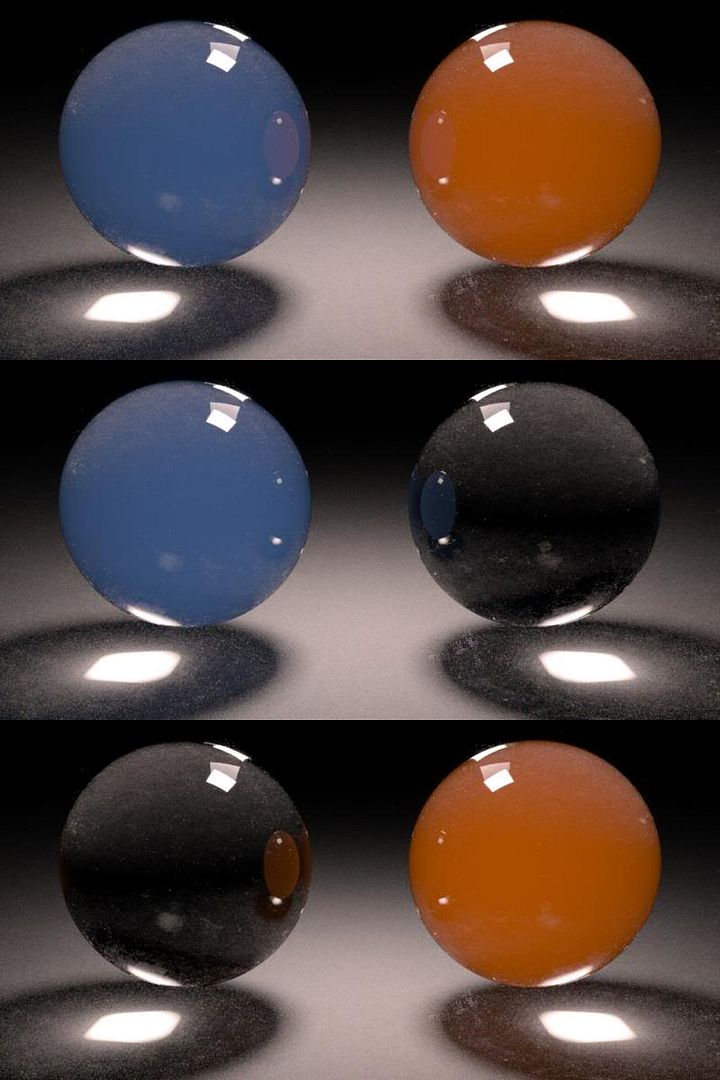
a little test with light layers/specular with emission
download exporter:
PC Version
(or below)
The file contains PC versions for R10 and R9. (R10 users will have to rename the "cindigo1.1.9.cdl_R10" to "cindigo1.1.9.cdl")
Make sure you have the newest version of quicktime installed!
Good beginner tutorials can be found here (german and english, a bit outdated)
please tell me if you find bugs or have specific requests. i will try to fix/implement as fast as possible.
1.1.9 changelog:
* again, i have lost overview of what i did since the last release...
* updated all exported material data to the 1.1.9 specs
* applying textures to luminance/color/bump/displacement in the c4d mat will override the constant values set for color/exponent/etc in the material helper
* added new subdivision options
* added emission to the material helper (only base_emission). set a texture for it in the c4d mats luminance channel
* rgb gain can now be < 1
* support for light layers (only 0-7 as currently in the indigo gui)
* indigos scale factor isnt used anymore. global scale is directly applied to the meshes. this should fix the "invertible bug" and confusion about displacement
some of the issues in 1.1.9:
* phong materials wont work. this seems to be an indigo issue (parsing unexpected element, stopping) - no sure about this anymore
* applying textures to the luminance channel in a c4d mat will not work either (fatal error)
* putting an emitting material on a primitive sphere will crash indigo (i mean crash as "crash and burn")
* i have to admit that materials are pretty confusing right now, and its not very transparent which material features are supported
------------------------------------------------------------
Do you like Cindigo?
If you think its valueable software, please feel free to donate.

Please split the donation in two and donate the other half to Indigo.
for Indigo 1.1.9
a little test with light layers/specular with emission
download exporter:
PC Version
(or below)
The file contains PC versions for R10 and R9. (R10 users will have to rename the "cindigo1.1.9.cdl_R10" to "cindigo1.1.9.cdl")
Make sure you have the newest version of quicktime installed!
Good beginner tutorials can be found here (german and english, a bit outdated)
please tell me if you find bugs or have specific requests. i will try to fix/implement as fast as possible.
1.1.9 changelog:
* again, i have lost overview of what i did since the last release...
* updated all exported material data to the 1.1.9 specs
* applying textures to luminance/color/bump/displacement in the c4d mat will override the constant values set for color/exponent/etc in the material helper
* added new subdivision options
* added emission to the material helper (only base_emission). set a texture for it in the c4d mats luminance channel
* rgb gain can now be < 1
* support for light layers (only 0-7 as currently in the indigo gui)
* indigos scale factor isnt used anymore. global scale is directly applied to the meshes. this should fix the "invertible bug" and confusion about displacement
some of the issues in 1.1.9:
* phong materials wont work. this seems to be an indigo issue (parsing unexpected element, stopping) - no sure about this anymore
* applying textures to the luminance channel in a c4d mat will not work either (fatal error)
* putting an emitting material on a primitive sphere will crash indigo (i mean crash as "crash and burn")
* i have to admit that materials are pretty confusing right now, and its not very transparent which material features are supported
------------------------------------------------------------
Do you like Cindigo?
If you think its valueable software, please feel free to donate.
Please split the donation in two and donate the other half to Indigo.


